Where an agent runs its tools
Execution environments: the cloud, your computer and sandboxes, and how the agent asks permission.
An agent always thinks on the Movl server. But when it needs to do something with files, commands or a browser, that happens in an environment. You decide where.
Kinds of environment
| Environment | Where tools run |
|---|---|
| Cloud | On Movl's servers. It is the default and needs no setup. Good for web search and connectors, but it gives no access to files or commands. |
| Computer | On your own computer, in the Movl desktop app. The agent works with files, commands, a browser and, on macOS, the whole screen. |
| Sandbox | On a remote machine at a provider you connected. For now that is exe.dev (persistent Linux machines with root); your own machines and other providers are in development. You give Movl your token. |
The phone only submits tasks and shows progress: no tools run on it. You connect a computer in the desktop app with Connect this computer. On the web you can add a sandbox and pick an environment, but not connect a computer.
Connecting
Environments are managed in Library → Environments.
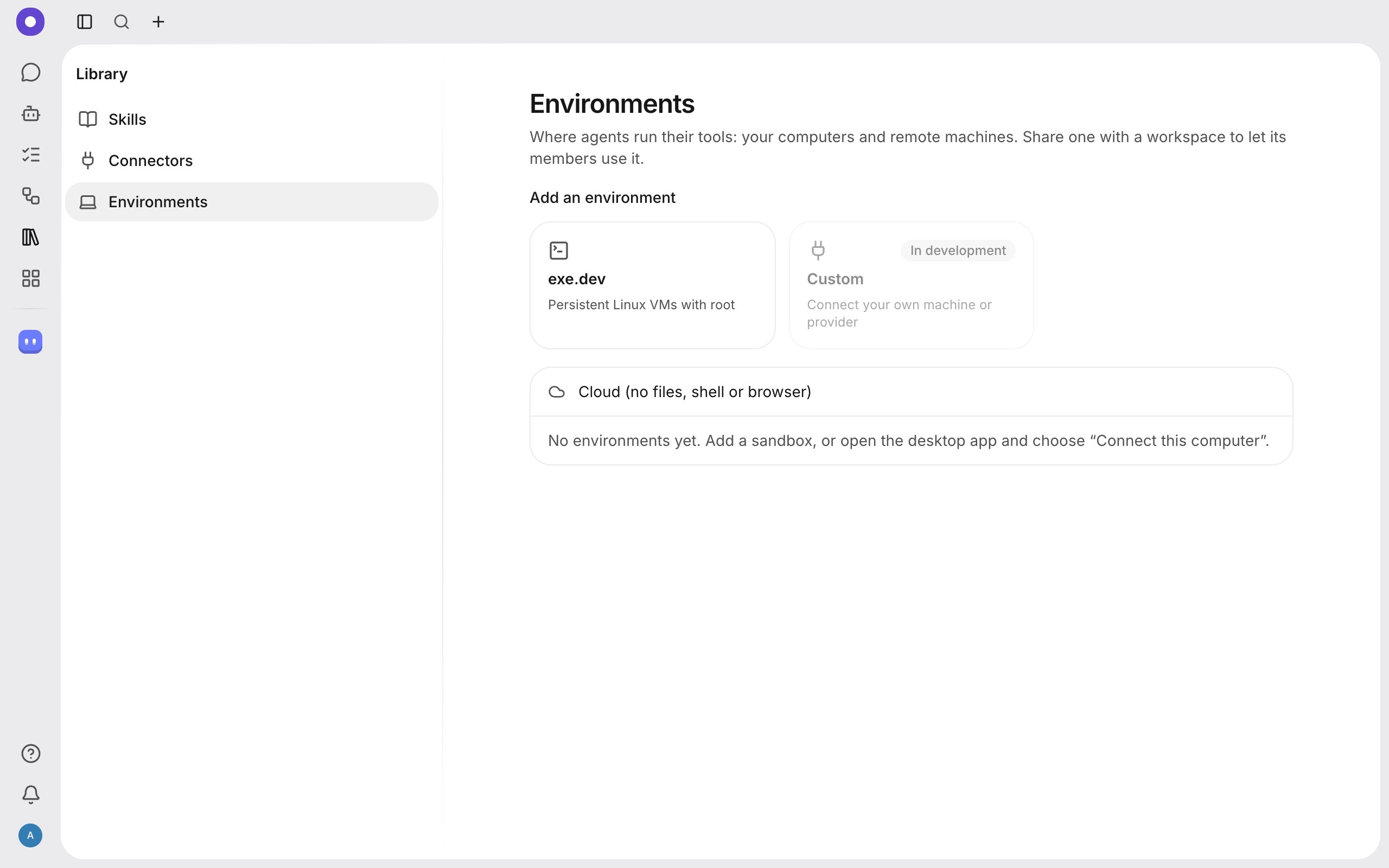
Add a sandbox or connect your computer, then pick one in the agent's settings (its default environment) or for a single task or conversation.
What an agent can do
| Capability | What it does | Default permission on a computer |
|---|---|---|
| Files | Reads, writes and lists files in allowed folders. | Reading is allowed, writing asks |
| Commands | Runs commands in a terminal. | Asks |
| Browser | Opens pages, clicks, types, takes screenshots. | Asks before the first visit to each new site |
| Computer | Controls the screen: screenshot, mouse, keyboard. | Always asks before it starts |
A sandbox may support only some of these: if a provider gives only a terminal, there is no browser or screen control.
Privacy and access
An environment belongs to you, not to the workspace. It reaches a workspace only when you share it, and you can stop at any time. Members use a shared environment only within the capabilities shared, and an admin can remove someone else's environment from the workspace.
When an agent needs your permission you see a question in the app (or Allow and Deny buttons in a messenger). If the environment is not available, the task waits for it with the status "Waiting for its environment".
What next
Create a task and pick an environment, or see how to connect integrations.